
Simple volunteer rotas
RotaRota is a free tool for organising volunteers at charities, churches, youth groups, sports clubs and community organisations.
Set up your events, add shifts and roles, then share a link and passkey. Volunteers can see where help is needed and put their names down for times that suit them — without creating an account.
It takes away the endless phone calls, email circulars and double-bookings and allows people to put their name down to help when it is easy and convenient for them to do so.
Spend less time coordinating replies and more time making your events happen
Free to use
YES, RotaRota is free to use for organising your volunteer rota.
Start organising your volunteers with a free RotaRota account. An optional paid Pro account will be available soon with additional features.
class="text-base"Here to volunteer?
Follow the link your organiser has shared and enter the passkey. You can put your name down without creating an account.
Want to make volunteering even easier? Create a free account to save entering your details each time and see all your commitments in one place
Sign me up!
Register for an account here. You can register first as a volunteer and then convert your account to be an organiser.
Become a user!Login
Already have an account? Just use the button below, or the Login link at the top of every page
Log inAs an organiser, how would I use RotaRota?
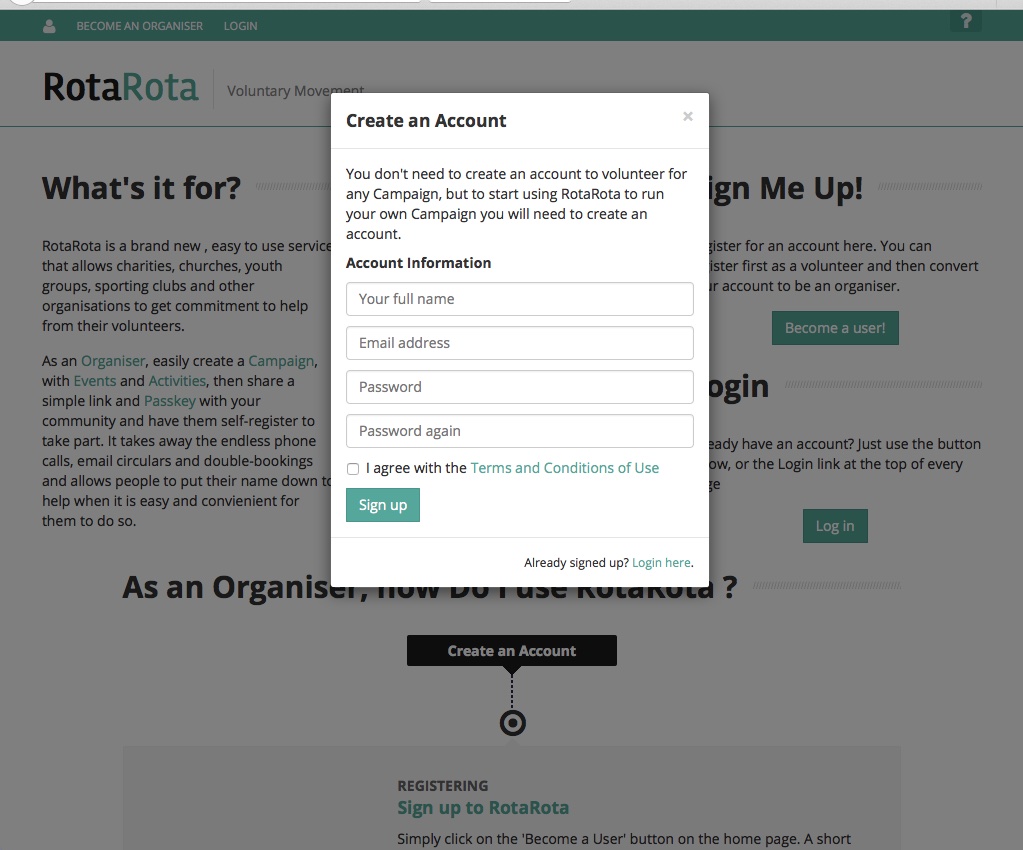
Sign up to RotaRota
Simply click on the 'Become a user' button on the home page. A short form will appear. All we need at this stage is your name, email address and a password that you would like to use. You will need to agree to our terms, but these are very straightforward.
You will then be directed to your user dashboard. On this screen is a panel inviting you to become an organiser. Click this button and proceed to the next step.
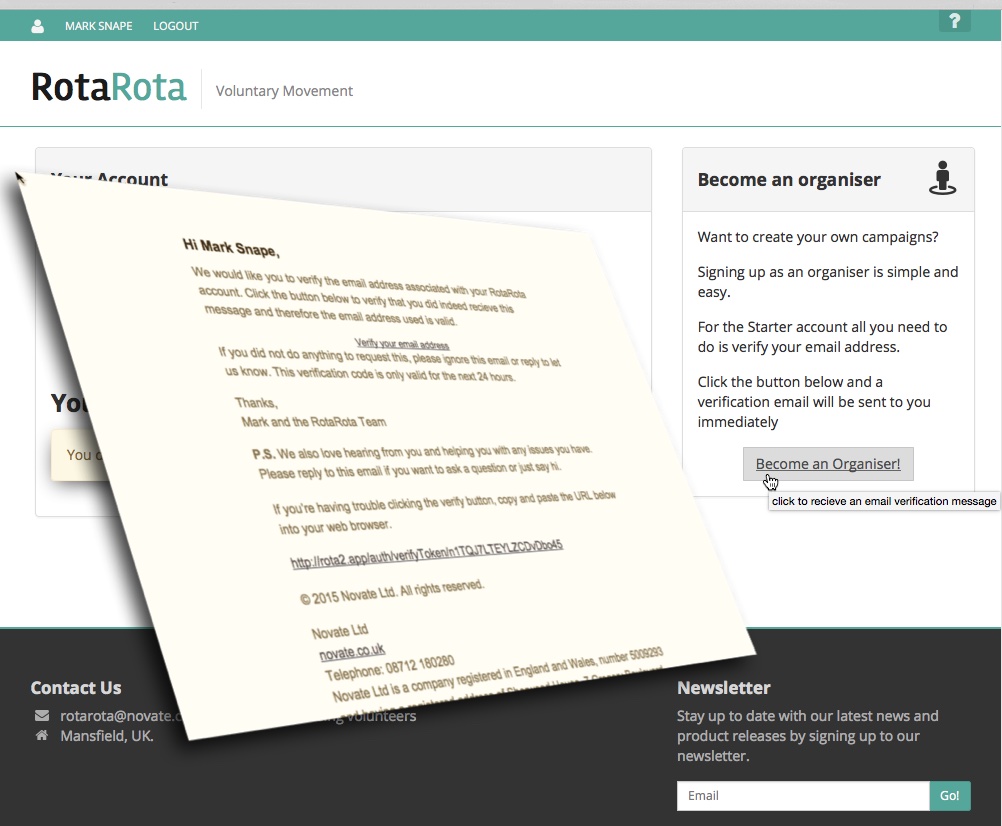
Verify your email address
Within a few minutes, you should receive an email from RotaRota. If this does not appear, please check your email address is correct. Change it in your user settings if necessary and press the button to activate your organiser account again.
When you have the email from us, just click on the link provided. This will verify that we have the correct address for you. Your organiser account is now active.
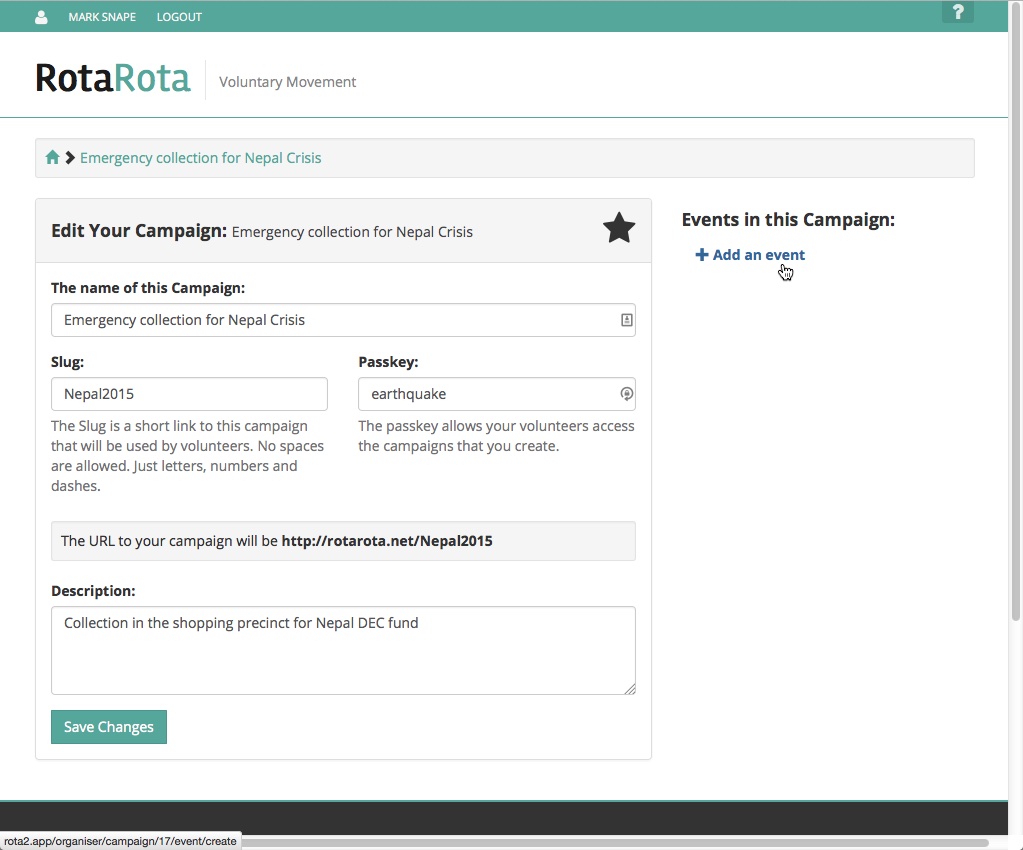
Create a new campaign
A campaign is a collection of events that will happen at a similar time, or are similar in nature. For instance, for a fundraiser, a campaign could be a sequence of events for which you need volunteers such as a weekend collection at a supermarket. You share the details of the campaign with your volunteers, and when they access the RotaRota they see all the events they can sign up for in one screen.
To create your first campaign, simply click 'Add a new campaign'. Fill in a few details such as the 'slug' (the link through which volunteers access your campaign) and a passkey.
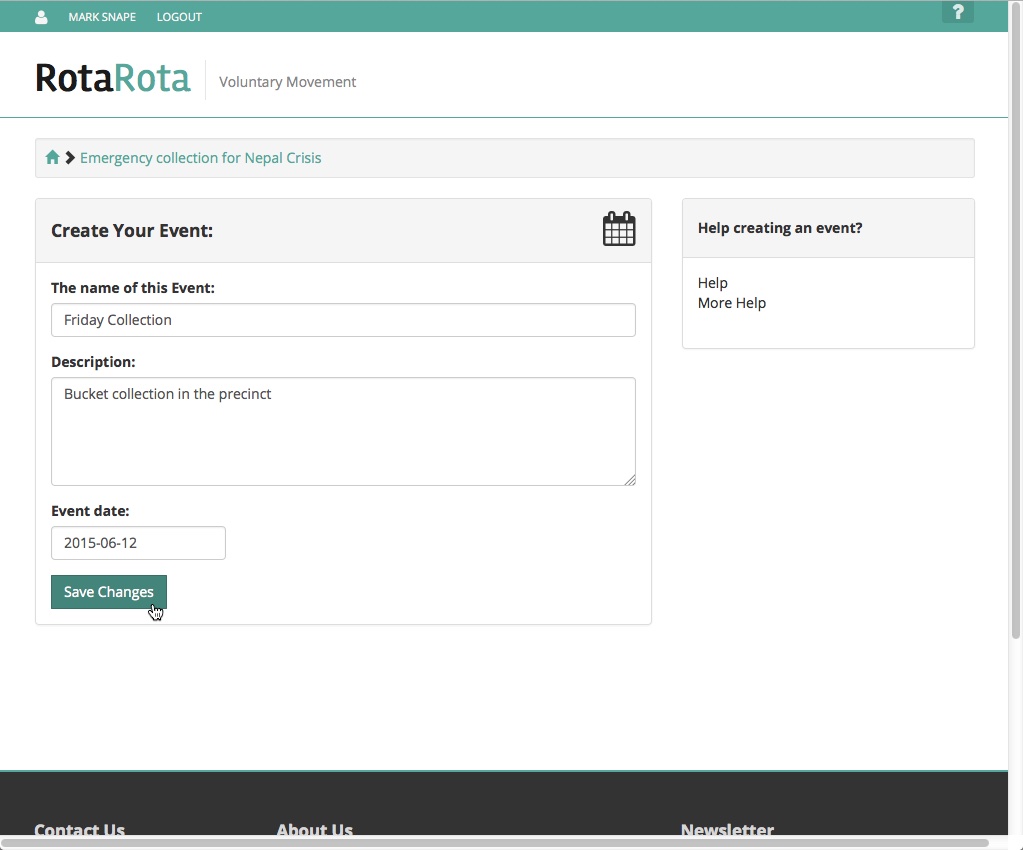
Create your first event
An event is a group of activities on a particular calendar day. So in the example of a weekend collection at a supermarket, each day would be a separate event.
Enter a few details about your event such as a name, the date, any joining instructions such as where to meet etc
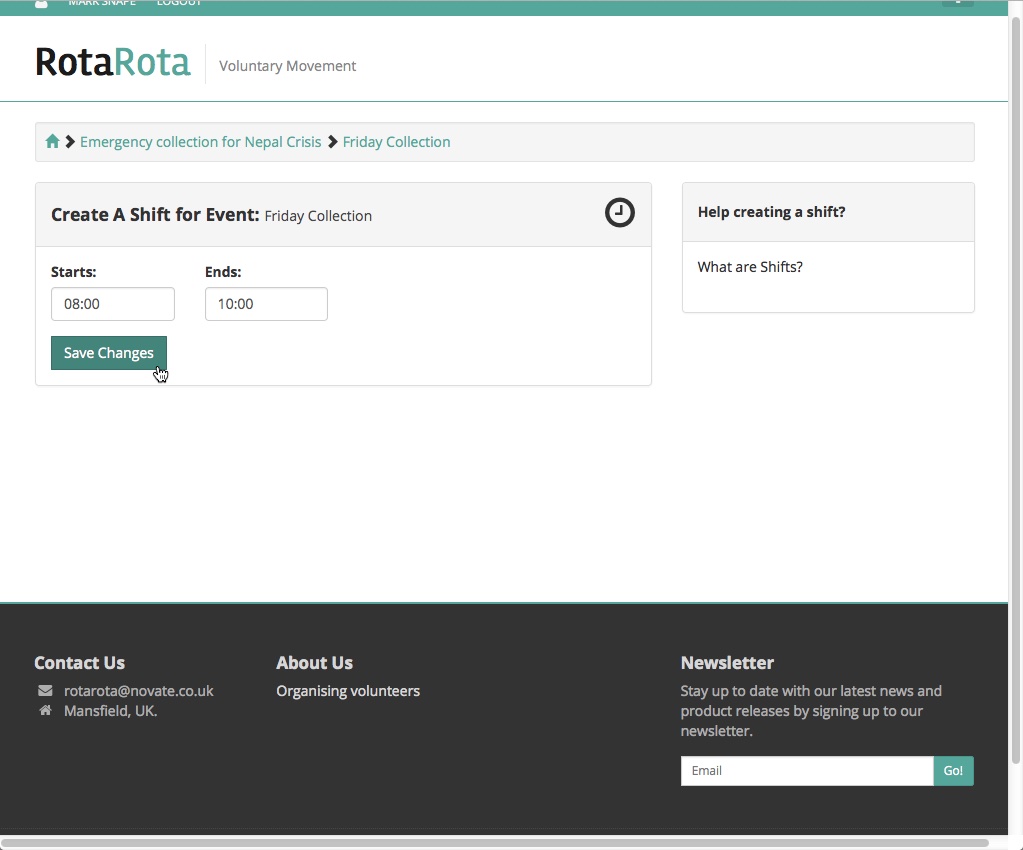
Create shifts within the event
Depending on the nature of your event, and its length, it's possible that you will need to break the event down into several periods of time. You may decide that a collector or volunteer should not work for more than 2 hours.
Break the event down into manageable chunks. Just set a start and an end time for each shift.
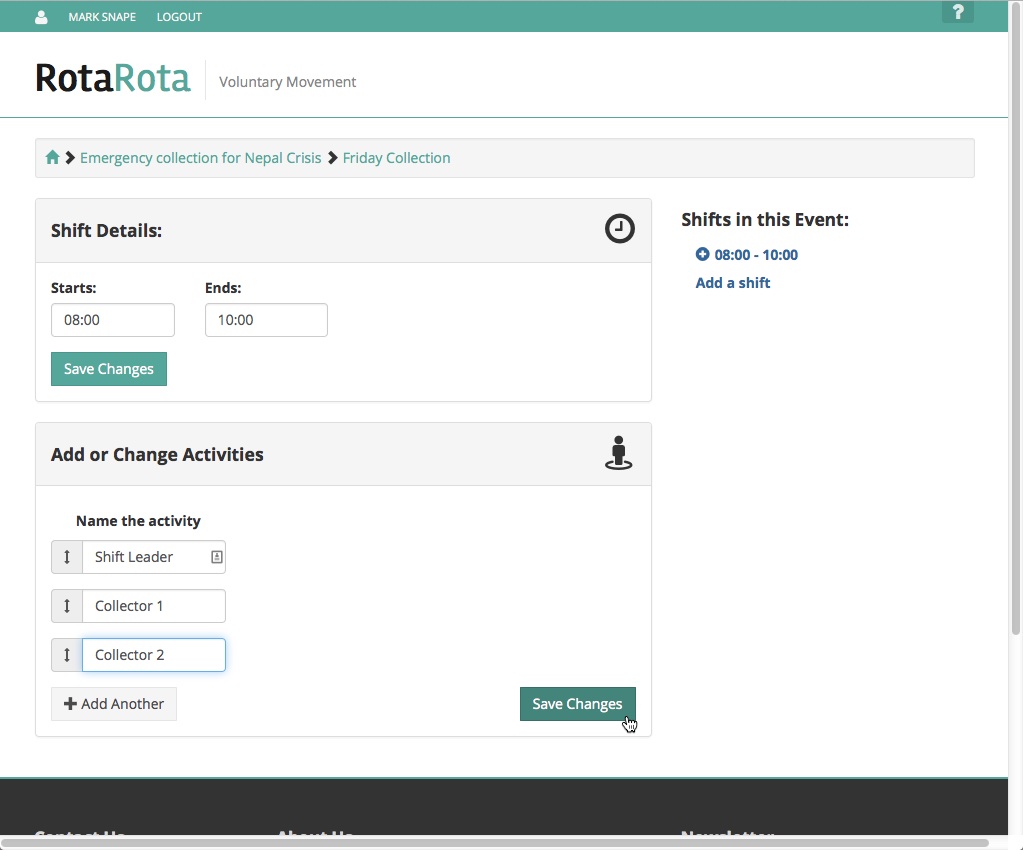
Add some activities within the shift
Activities are the actual duties that your volunteers will perform. You can create as many activities as required, each with its own name. Later, volunteers will put their names against the individual activities.
Simply enter a name for the activity in the box. Add more fields if required.
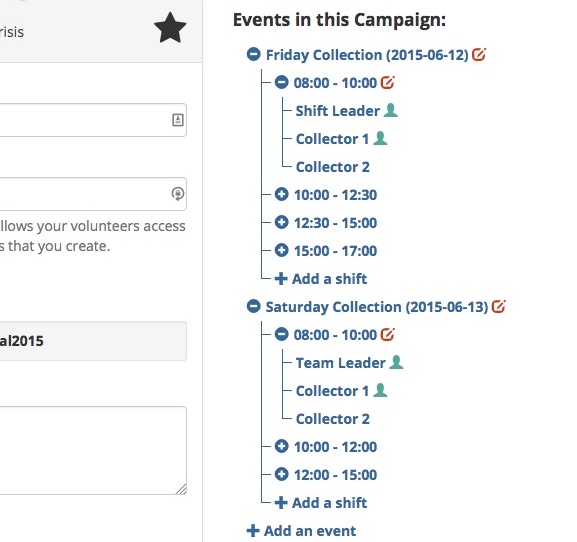
Add more events, shifts and activities to your campaign
Flesh out the campaign with all the events, shifts and activities that you require. You can add more at any time and there is no limit. If the number of events gets unwieldy, consider creating a different campaign.
You can have as many campaigns as you like, so if manning a charity shop for instance, you could create a campaign for each month. Campaigns can be linked and your volunteers easily jump from one campaign to another.
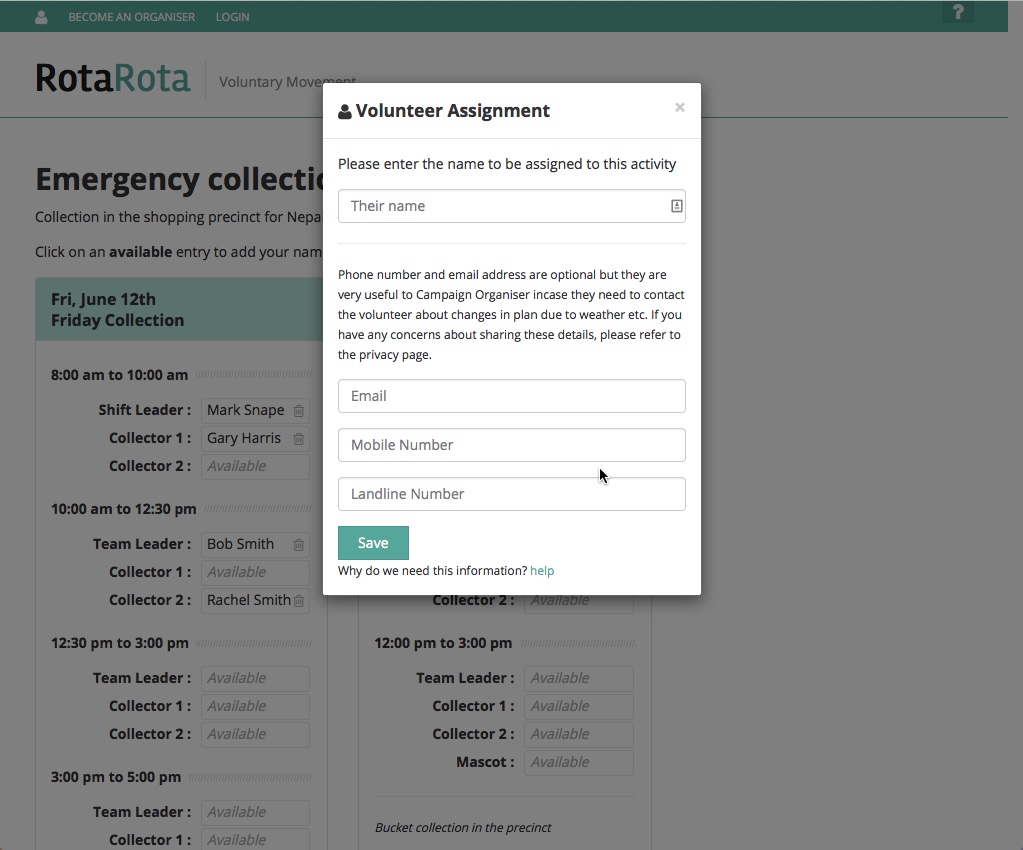
Open up your campaign to your volunteers
Once you have the events in place with shifts and activities, you can launch your campaign. All you need to do is just pass on the link to your campaign and the passkey.
Volunteers do not need to create an account, they can just follow the link you give them and enter their names in available activities.Volunteers can create an account if they want - this allows them to see a list of their personal commitments and allows the organiser to send out messages about the events.